
CHANGELOG · LATEST v1.8.2
What’s new in Kingdoms Connected.
Every release of the KCD2 multiplayer mod, newest first. The launcher updates itself, so players always get the latest build; server owners should update their server at the same time.
Kingdoms Connected 1.8.2Servers that ship full KCD2 mods, an orbit camera, NPC dice opponents, and World Builder tools for clearing grass and checking scale.
- Servers can now send you a KCD2 mod’s level edits, audio and scripts when you join. Mod scripts run in a restricted environment: they cannot touch your files, start programs or load native code. A script that asks for riskier access needs your approval, which is remembered until its files change. When you leave the server, its scripts stop and its changes are undone.
- Reversing a cart now steers the right way. Steering left swings the back of the cart left, and a jackknifed cart can straighten out from either side.
- Another player’s horse now faces the same way they do after turning on the spot. It no longer drifts off their line and jumps several metres ahead a few seconds after setting off.
- For server creators: ship a KCD2 mod with your server: level changes such as terrain, navigation and objects, FMOD audio banks, and Lua scripts. Entity XML that contains script commands and AI trees are refused.
- For server creators: seat a server NPC at the dice table. Your script decides the NPC’s moves, and the server checks them with the same rules as a player’s.
- For server creators: give the third-person camera an orbit mode. The mouse turns the camera around the character, the character walks toward the direction held, and its head follows the camera. On horseback the camera swings around the rider while the keys still steer the horse.
- For server creators: place a smart object “bare”: only the seat or station, without the blueprint’s furniture, so players can sit on a log, a wall or any other prop. Chairs and the smokehouse cannot be placed bare.
- For server creators: clear the terrain’s tall grass inside a box. Every player sees the clearing, and a World Builder export carries it. Herbs players can gather are left alone.
- World Builder: clicking now selects the object under the cursor, not a nearby prop whose bounding box was in the way.
- World Builder: press H to stand a person on the surface under the cursor and judge a room’s size. The Camera tab can choose who stands and move the camera to their eye height.
- World Builder: places where the game seats, lays or stands a body are now marked with a dot and a facing tick. Hover over one to see the pose.
- World Builder: placing an object can remove the level’s small plants underneath it. Trees stay. The Object tab does the same for objects already placed.
- World Builder: the Object tab can clear the grass under selected objects. Level > Grass lists the clearings and restores them.
- World Builder: load a server’s client mods from a resources folder and pick which ones a project uses, in a new Mods tab. Every new tool is also available through MCP.
- Players and server owners must update to 1.8.2.
Kingdoms Connected 1.8.1A download queue instead of refusals, resumed and partial downloads, and the download speed on the join screen.
- If every download slot on a server is busy, you now wait in a queue instead of being refused. The join screen and the loading screen show how many players are ahead of you, if the server reports it.
- A download that gets cut off now resumes from what you already have.
- After a server updates a resource, you only download the parts that changed. Your game also reuses matching parts of files it already has, including files from other servers.
- The join screen and the loading screen now show your download speed.
- If a download fails, you return to the menu with the reason. A download that shows no activity for a minute is treated as failed. Waiting in the queue does not count.
- Players and server owners must update to 1.8.1.
Kingdoms Connected 1.8.0Horses and players whose feet match how fast they move, smiths and grindstones other players can see, fewer stray sounds, and one port for servers.
- Another player’s horse keeps the same gait as on its rider’s screen. A walking horse no longer trots on your screen, a horse catching up no longer covers a trot’s distance at a walk, and its feet no longer skid when it turns.
- Another player no longer slides across the ground at a walking stride when the game corrects their position. The correction now stays within the speed their walk, jog or sprint animates.
- Other players see what you do at a smithy. They see you at the forge, the bellows, the anvil or the quench tub, with the smithy’s hammer and tongs in your hands, instead of the same hammering at the anvil with tools floating beside you. This works for male bodies only; a female body still stands idle at the smithy.
- Other players see you sharpening a blade at a grindstone, and the wheel turns.
- You no longer hear another player’s dice shake or their spurs at full volume wherever you are. Dice now fade out within about 30 metres, the horse’s own reaction to a spur still plays, and another rider’s speed no longer brings up the speed-limit tip on your screen.
- Fixed a crash with other players riding nearby, the most common horse crash in 1.7.3.
- Your game now builds at most the 48 NPCs nearest you, animals included. With hundreds of animals around, other players used to slide.
- In the default game mode, a player who drinks until they pass out wakes after 15 seconds. They used to sit behind the blackout screen for minutes, and for good while time was stopped.
- For server owners: the server answers HTTP on its game port over TCP, with no second port. Open the game port for both UDP and TCP. The Pterodactyl egg no longer has an HTTP allocation or the apihost and apiport arguments.
- Players and server owners must update to 1.8.0.
Kingdoms Connected 1.7.3Trees and other massless props back in older worlds, a World Builder crash fixed, and doors a server can refuse before they open.
- Props placed with rigid physics whose mesh has no mass, such as trees, stand again. In 1.7.2 World Builder could not place them and no client built them on a server, so parts of older projects and exports went missing, although the files still held them. Such a prop now stands as a static one, solid and where it was placed. A prop given a mass still falls and can be pushed.
- Fixed World Builder closing the game when you picked a door, an interactive object such as a bench or dice table, or an item in the Library tab. You can now place them like any mesh, and the Library tab names the one you are placing.
- For scripters: a server can stop a door opening before it moves. A server doorInteract handler that returned false used to let the door open, then swing it back a moment later. Setting door.usable to false on the server removes the door’s prompts for every player and refuses any use of it. Client scripts get their own doorInteract (door, action, keySide), raised before the door moves; returning false makes the use do nothing. The server’s doorInteract works as before.
- Players and server owners must update to 1.7.3.
Kingdoms Connected 1.7.2KCD2 mods streamed from the server, doors, benches and stations placed anywhere, trees you can fell, alchemy fixes and fewer crashes.
- Servers can ship KCD2 mods to their players, with their own items, recipes and translations. Your own installed mods no longer load while you play Kingdoms Connected; nothing in your mods folder is touched. Lua, quests, Storm, AI trees and UI movies are not shipped.
- In the default game mode you can fell beech, linden and pine trees. Three blows of an axe leave a stump and the tree falls away from you. It grows back after ten minutes, or on /trees regrow.
- Alchemy works on the first visit. The table could close again straight away the first time, with no book, and leaving a visit with something still taken locked the camera so you could not turn to the shelves next time. Other players now see you take, grind, pour, work the bellows and read the book, instead of one idle loop; this works for male bodies only.
- Fixed the most common horse crash in 1.7.1, with several other players spurring their horses. Also fixed crashes when another player was still loading or leaving: locking on to them, their horse disappearing as they got off, and their body being built as they left.
- A player who enters a virtual world sees its doors and gates as the players already there do. A door left open there used to look closed, and a lock a script set there did not reach the door.
- A player knocked down by an NPC gets back up. NPCs could finish a combo with a killing move that never completed, leaving the player on the floor, unable to stand. NPCs no longer choose killing moves against players. Their other blows, knockdowns included, are unchanged.
- Perks a server blocks show as blocked on the perk screen, and are taken away from players who already have them.
- World Builder places doors, interactive objects and items from the Library: benches, chairs, beds, the dice table, alchemy tables, the smithy, the drying rack and the smokehouse all work as in the game. The Object tab sets a door’s lock, key and difficulty, an item’s stack and any name. You can also swap a level object for another mesh, and a world exported with these keeps them.
- For server owners and creators: a resource carries a KCD2 mod’s table patches and string patches, and tools/import_kcd2_mod.py lays out a mod as a resource and lists what a server cannot ship. Item classes a mod adds work with every inventory call, and its recipes appear in the recipe book and the smithy.
- For scripters: Crafting.registerRecipe adds alchemy and smithing recipes, with their own icon and book pictures or bookPicturesFrom a game recipe. Items.register takes a model, a material and a PNG icon. Inventory.setItemStats rewrites a weapon’s, armour’s, bow’s or arrow’s combat numbers, and Buffs.register takes weaponAttack, weaponDefense, attackSpeed, moveSpeed and courage. Horses take buffs with horse.addBuff, removeBuff, hasBuff, clearBuffs and horse.buffs. Door.spawn, SmartObject.spawn and GroundItem.spawn place doors, stations and named items, and Door.remove and SmartObject.remove take the level’s out. A trace hit names the level object it met, LevelEdit swaps one for another mesh, and a swing that meets a tree, wall or prop raises weaponHit and playerWeaponHit. Rigid props are simulated by one nearby client, with applyImpulse, setVelocity, wake, sleep, resetPhysics, prop.mass and propRest. player.visorClosed reads whether a visor is down.
- For scripters: a playerHit handler that changes hit.damage or hit.modifiers changes the blow again, from any resource. A revived NPC can be hurt again and its blows raise playerHit and playerDamage.
- Players and server owners must update to 1.7.2.
Kingdoms Connected 1.7.1Duels that are not cut short, ripostes and blocks you can see, no story cutscenes, and World Builder selection tools and key bindings.
- A fight between players lasts. The default game mode ended a fight 15 seconds after the last attack, so a careful duel of guarding, circling and feints ended halfway. It now waits 45 seconds. Holding U to agree to peace still ends it.
- A riposte shows on the screen of the player it hits. They used to take the blow while the player who parried stood still.
- Every block another player makes shows on your screen, including a quick press and release that used to show nothing.
- Story cutscenes no longer start. Walking into a quest trigger, such as a cave on Kutnohorsko, could start one and force a restart. Fast travel, sleeping and waiting are unaffected.
- Dice tables show the Play dice (join lobby) prompt again, so /dice is no longer the only way to start a game.
- The launcher’s menu loads when you start it with a double-click instead of staying blank.
- Areas with collision are built as walls only. The invisible floor and ceiling inside them could grey out attack directions in an arena. A creator can add a floor or a ceiling back and set the wall thickness; World Builder warns that a ceiling under about 2 metres blocks overhead attacks.
- World Builder selects many objects at once. Box, Lasso and Brush select what you outline or paint, Select similar nearby takes every object with the same mesh, and an area can select what lies inside it. The Select tab filters every tool, and up to 5000 objects can be selected. Ctrl+D or Copy as a prop copies a level object, such as a fence or a tree, as an editable prop, and Convert to a prop replaces the selection with props. Undo and redo select what they changed.
- World Builder keys can be remapped in the new Keys tab, with presets for 1 2 3 or W E R. Your bindings, the tool in hand and the selection settings are kept between sessions.
- For scripters: Hud.setStoryCutscenesEnabled lets a script play story cutscenes again, and storyCutsceneSuppressed names each one held back. Areas reach other resources as Area handles, from areaEnter, areaExit, Events.emit and exports. Area.create takes collisionFloor, collisionCeiling and collisionThickness.
- Players and server owners must update to 1.7.1.
Kingdoms Connected 1.7.0Fights that look the same on every screen, a player’s own horse that cannot be killed, drying, smoking and cooking that keep what they make, and custom buffs.
- A fight looks the same on every screen. Another player’s blocks and dodges now show, their guard turns to all five directions, and a guard held or a lock-on shows before they swing at all. Every strike of a combo shows, not only the first, and a blow no longer lands before its swing is drawn. Hits play the reaction the struck player’s own body played, so the stretched shins of the old hit clip are gone. On the attacker’s screen each blow lands once instead of twice, and a player in a fight no longer shakes on lock-on or circles the spot where they stopped.
- You no longer hear another player’s perfect-block or master-strike sting at full volume, however far away their fight is. You still hear your own.
- Fixed losing the inventory, map, character, journal and codex keys (I, M, P, J and N) until you reconnected, on servers where players fight. Another player’s fight could switch them off on your machine and never switch them back.
- Knockouts and deaths look the same everywhere. A fist blow that left a player on their feet no longer knocks them down on the attacker’s screen. A knocked-out player stays down until they get up the game’s way, without a stiff pose before it, and a dying player falls from the pose they were in.
- A horse given to a player cannot be killed, whoever’s machine is running it. A blow that would kill it knocks it out, as the game does for your own horse, so it can no longer be looted or butchered. A knocked-out horse goes down and gets up on every screen, and comes round by itself after some minutes. A riderless horse standing still stands on the same spot for everyone.
- Dried herbs, and smoked or cooked food, stay in your inventory. They used to turn back into the originals a moment later, while the survival XP came anyway, every time. The server now makes the products and grants the XP once per item. It works within four metres of a drying rack, smokehouse or fireplace placed in the map; one added by DLC or by a script puts the items back.
- An arrow that sticks in a player goes into their inventory, and one that sticks in an NPC or an animal goes into its loot. An arrow that glances off a body falls to the ground under it instead of hanging in the air. Arrows and bolts lying on the ground no longer block players, NPCs or horses.
- Arrows hurt NPCs. An arrow that stuck in an NPC did no damage at all. An animal killed at a run now falls the same way on every screen, and one killed on the machine running it no longer dies standing up.
- Other players show more of what they do: a drunk player sways and staggers, a hand cannon’s fuse, flash and smoke come with the shot, and a reload no longer lowers the weapon between steps. Picking a lock, drying herbs, smoking and cooking play their animations; the last three exist for male bodies only. A weapon drawn right after holstering it is drawn properly, and a player’s head turns smoothly where they look instead of in steps.
- Fixed a server disconnecting every player when a script set a weather the game does not have. The sky now stays as it is.
- A frozen NPC, such as a shopkeeper, stays on its spot when it is hit, and still plays its hit reaction.
- For server owners and creators: playerPreparing fires before every drying, smoking and cooking conversion, with the station and the items, so a game mode can refuse it. Refusing it and adding the products later makes smoking take as long as you like.
- For scripters: Buffs.register adds status effects of your own that show in the status screen, with their own name, description, duration and up to 16 stacks; Buffs.modifiers lists what they can change. A player’s progression can go down: setXp, removeXp and a lower setLevel, and restoreProgression puts a saved snapshot back exactly, without level-up popups or perk points. Voice.setIndicatorVisible hides the mod’s microphone and nametag talking icon so you can draw your own, and Voice.isPlayerTalking tells you who is heard. Gear a script takes out of a player’s inventory while they wear it now comes off their body. horse.unconscious and horse.wake() read and end a horse’s knockout. npc.flee also takes a player or an NPC, and an animal runs the game’s own escape at its species’ pace. player.setHealth(0) kills through the game’s own damage, so the body falls even off a ladder, and playerDied reports the reason scripted. CookPot.setFireLit now actually lights and puts out the fire.
- Players and server owners must update to 1.7.0. The progression protocol moved to 2.0.0, so both halves must match.
Kingdoms Connected 1.6.10Doors that swing for everyone, beds you can sleep in, knockouts and jumps other players can see, and a map a server can keep undiscovered.
- A door another player opens or closes swings on your screen instead of snapping to its new position. A player who joins while a door stands open sees it open, rather than shut.
- Sleeping in a bed works as in single player. The dial runs to the hour you chose, and the game applies rest, hunger, health and the after-sleep buff. Only your own clock runs while you sleep, and it returns to the server’s time when you wake; other players’ time does not move. The screen after sleeping lets you go within about two seconds instead of fifty, and the game no longer refuses at random with “no time to linger”. Waiting with the dial (T) is still refused.
- Fixed the black loading screen after being knocked out, which held every menu until you quit and rejoined. The knockout still plays, and the default game mode wakes a knocked-out player after 15 seconds.
- Other players see a knockout. A knocked-out player used to lie down on their own screen only; now they go down and get up on every screen.
- Another player’s jump follows their own: the same speed and arc, strafing in the air included, with no snap back in mid-air.
- A player leaning out of a window or over a battlement leans in the right place on other screens, and is no longer left frozen in the lean after they stop. While leaning, sitting or riding, their head turns where they look.
- Another player walks while they draw, shoot and reload a bow, instead of sliding with their legs still.
- After dying and being revived, jumps keep their forward speed, movement eases in and out again, and steep slopes can no longer be walked straight up.
- Every blow the server accepts shows on every screen, including after a death or a teleport and in a quick exchange, where every other hit used to show nothing.
- Two players on one ladder, siege ladders included, no longer climb through each other. The one climbing towards the other stops a few rungs short, and can always climb away again.
- Other players see your armour as dirty, bloody or worn as you do, and clean once you wash it.
- A horse another player rides no longer stops, rears or throws its rider on your screen when it did not on theirs, and keeps up with its rider at a gallop. When they are thrown or fall, you see it.
- Passengers in a cart no longer fall into a T-pose or sit in the wrong seat after a while, which happened most often with animal herds nearby.
- An NPC a server dresses in armour wears all of it, rather than missing its leg and arm plates until it is dressed again. An unarmed NPC no longer stands in a T-pose when it fights.
- Another player standing in a private area no longer marks you as trespassing.
- World Builder has a Map button in offline sessions. It opens the game’s map, and clicking a place in the loaded region takes you there; Escape cancels. The spot is placed on solid ground, which is not always walkable, dry or the floor you meant. The same travel is available over MCP.
- For server owners: set mod.reveal_map to false in server.json and players discover places as they do in the game, with the fog of war, the discovery messages and the XP. It is true by default, which reveals the whole map as before.
- For server owners and creators: a resource can use npm packages. The packages its manifest lists under dependencies are copied beside the server with it, and on Windows it can load a native addon such as better-sqlite3.
- For scripters: Gathering.getHerbs and removeHerbs, and Area.getHerbs, removeHerbs and respawnHerbs, find and clear herbs by radius or area, per virtual world, without rewards. stash.lockDifficulty and stash.lockFanciness set a container’s lock, and Stash.spawn takes any container model; the default game mode adds /stash spawn and /stash difficulty. CookPot.setFireLit lights or puts out a fireplace. WorldMap.discover, revealFog and revealAllFog, and the locationDiscovered event, build discovery of your own; poiDiscovered now fires only when a place becomes discovered. A blip created with legend: false stays on the map when the legend hides its icon type. Controls.disableAction switches off a game action while its key still reaches your script. ActionHint.shown and actionHintsChanged hand you the HUD’s prompts to draw yourself, and player.setTargetable(false) keeps a player out of lock-on on that client.
- Players and server owners must update to 1.6.10.
Kingdoms Connected 1.6.9Lights in World Builder, carts that stay on the road, and other players’ drink and hunger kept off your screen.
- World Builder places lights. A point light goes anywhere, with its own colour, intensity and radius, and casts shadows if you turn that on; shadows are off by default. Lights are saved with projects, blueprints and exports, and a world loaded on a server shows its lights to nearby players. The game’s own shadow settings still apply, and it draws at most 192 lights at once.
- Carts stay on their ground. They no longer float up or sink under the map on slopes, they drive onto bridges, and they stop at fences and palisades. Their horses’ hooves sound, the team stands still once the cart stops, and a driver who climbs down can climb back on.
- Every seat along a cart’s rails has its own climb in, idle and climb down, instead of everyone climbing in at the right rail and jumping to their seat. Two players on the back seats take turns rather than walking into each other, and a seated player’s head turns where they look.
- You can lock on to a server’s NPC that is fighting you. The lock marker used to flash and disappear.
- In first person, hats, caps and hair worn by NPCs or women no longer show from inside your head when you look up. The Brabant hat no longer shows as a red bar.
- Other players’ conditions stay on their own screen. A drunk, hungover, poisoned or starving player blurred everyone’s screen, and no cure cleared it. Their hit grunts, breathing and falls no longer play as your own character’s sounds, their master strike or perfect block no longer slows your game down, and their fight no longer puts you in danger.
- Swings and blocks from horseback are no longer cancelled. The mod paired a rider with an opponent, which cleared every attack and block they asked for.
- Voice chat carries less far by default: whispering 3 metres, talking 15 and shouting 25, down from 8, 25 and 60. A server can still set its own ranges with Voice.setTierRange.
- Players and server owners must update to 1.6.9.
Kingdoms Connected 1.6.8Furnished maps that show all of their furniture, and props that collide where they stand.
- A furnished world shows all of its furniture. A server could only hold 64 placed props around you at a time, so on a densely built map tables and chairs appeared beside you and vanished again as you walked. The limit is now 4,096, and a prop the map marks as static is drawn as far as the game draws the same mesh placed in the level: a table shows from much farther away than a cup, with its shadow, and it collides wherever it stands rather than losing its collision in a quiet corner. Effects pinned to such a prop play at its position.
- Fixed gates and placed objects that stood without collision until something else rebuilt them. Every call meant to build an object’s physics at once was putting it off instead.
- For server owners: a final release now also publishes its tested server image as latest. A prerelease leaves latest where it is.
- Players and server owners must update to 1.6.8.
Kingdoms Connected 1.6.7Carts that seat everyone, bodies that sit where they sat, and quieter neighbours.
- Everyone can ride in a cart again. Only one player could sit down, and a player who climbed off often found no prompt to climb back on.
- Other players sit where they actually sat. A seated body used to appear wherever its owner stood when they pressed use, so a player could be drawn behind a bench or inside a table, and nothing corrected it afterwards.
- Other players are no longer as loud as your own character. Their footsteps, armour and falls played the volume the game keeps for the player, and a poisoned player made everyone around them exhausted, down to the fainting that follows it.
- Fixed a crash with several players riding nearby. Horses ridden by another player no longer run the game’s collision avoidance, since their rider already steers them, and the queue it shares is no longer written from two threads at once.
- Dialogue choices answer the mouse wheel, Enter and a click, the way the game’s own conversations do, instead of only the arrow keys, E and Escape.
- A label a server sets under a player’s name is drawn again. It was stored and never read, and now fades and hides with the name tag.
- For scripters: ActionHint.isKeyInUse(key) and ActionHint.shownKeys() report which controls the HUD is drawing a hint on, the game’s own prompts included, so a client script can keep its interface off a key something is already waiting on.
- Players and server owners must update to 1.6.7.
Kingdoms Connected 1.6.6The Epic Games Store copy of the game, a World Builder you can light, layer and furnish, areas that block the way, and dice tables other players can watch.
- The launcher now starts the Epic Games Store copy of the game, alongside Steam, GOG, the Microsoft Store and PC Game Pass.
- Your installation now asks the release service which channel it updates from, instead of reading it out of a file in its own folder. A copy that lost that file no longer stops on a message telling you to unpack the archive again, and a build downloaded from stable no longer keeps updating from the testing channel. A tester who wants to stay on testing puts a client\.mafiahub\channel-override file there; an update never overwrites it.
- Players standing near a dice table now watch the match: both players in their seats, the cup, and the dice they throw, without joining the minigame themselves. The scoreboard can show the two players’ names instead of the game’s own labels, and the default game mode uses their nicknames.
- Fixed answers from a player’s client reaching the wrong place on the server. /dice never found the table it was standing beside, and the server could crash afterwards. World queries, Door.queryNearest and Player.takeItem were affected in the same way.
- World Builder builds under the light the scene is meant for. A new Environment tab pins the sky to one hour without moving the world clock, sets the clock speed or stops it, blends in one of the level’s own weather presets and holds it, and sets the rain by hand. The conditions are saved with the project and handed back when you leave the offline session, so a pinned sky never follows you into a server. The tab is offline only, because on a server the clock and the weather belong to the server.
- World Builder also gets layers, favourite folders and a steadier viewport. A Layers tab groups props, effects and level edits, with visibility and a lock on each layer, and Ctrl+L assigns the selection; a hidden layer is still exported. Favourites now belong to the project, in folders you name. G switches the move and rotate gizmo between world and local axes, a world-space grid can be drawn at its own spacing, and Shift puts an area or a new box on the ground. Holding right mouse to look around keeps the prop in hand instead of putting it away, and clicking in the viewport prefers solid objects, so a building is picked rather than the decoration in front of it.
- Areas can hold players in or out. Turn on Collision and a box, polygon or sphere becomes an invisible wall that blocks crossing from either side while the inside stays clear. The setting travels with projects, blueprints and exports, and survives undo.
- World Builder publishes everything it can author over a local MCP server, so an agent running on the same machine can place, edit and query a project. It listens on the loopback address only and no longer asks for a token.
- For server owners and creators: the default game mode and the Playground resource install with npm, so Node.js is all you need. npm ci installs the toolchain and the scripting declarations, npm run dev rebuilds both halves on every save, and npm test builds and runs every test.
- For scripters: a dice match reports its progress with diceTurnStart, diceRoll, diceMove and diceTurnEnd, each carrying the seat, the turn, the dice rolled and held, the points and why it happened, so a game mode can settle a wager from the server. Dice.setNames sets both scoreboard labels. Areas take collision in Area.create and area.collision, and a shape that cannot become a wall is refused. Npc.create, Npc.adopt and npc.locomotion now accept only native or kinematic and throw on anything else, rather than reading a typo as kinematic.
- Players and server owners must update to 1.6.6. The dice protocol moved to 3.0.0, so both halves must match.
Kingdoms Connected 1.6.5The Microsoft Store and Game Pass copy of the game, butchering and looting bodies, cooking pot meals, scripted camera shots, and items servers make themselves.
- The launcher now starts the Microsoft Store and PC Game Pass copy of the game. It tries Steam first, then the Store package, then the game folder you pick.
- You can butcher dead animals and loot bodies. Butchering uses the game’s own animation, and only one player can work on a body at a time. When it finishes, everyone sees the butchered animal and can loot the rest.
- Sharpening a weapon at a grindstone now keeps the condition you gained instead of reverting.
- Objectives you complete or fail now leave the quest journal as Completed or Canceled, with the game’s own objective message, rather than staying active. A quest given to you already tracked shows its started message in the tracked colours.
- Voice activation is no longer cut off while a menu or web interface has your input. Only push-to-talk is held then.
- Siege ladders now end at the top of the wall they stand against. They no longer carry players past eaves, onto roofs partway up a wall, or through walls into buildings. Where there is nowhere to step off, the top is blocked.
- Mod windows and overlays follow the game’s HDR UI brightness setting.
- Crash reports include the game log again. Release clients write it to logs/KCDC.log.
- In the default game mode: /pot describes the nearest cooking pot, /pot recipes lists the ingredients, /pot refill porridge|vegetable|meat spends them to fill an empty pot with four portions, and /pot poison <row> adds one dose of poison from your inventory. /pot does not reveal poison. /camera shot plays a short sequence around your character, about 14 seconds, and /camera shot stop ends it. /invisible [@player] stops drawing a player’s body and /invisible off draws it again; the body stays put, so it can still be hit and still blocks a doorway. /customitems hands you a personalized letter and shows renaming, defaults and a vendor with custom stock.
- For server owners and creators: register your own item types with Items.register and use the returned GUID with the existing inventory APIs. An item takes a name, description, weight, price and the appearance of a base-game item, so it needs no new assets, and client resources can replace an item’s inventory action with Inventory.onUse. Food, potions and pot servings now wait for the server: playerConsuming can refuse a serving, playerConsumptionEffects can drop its native effects, and playerConsumed runs once the game confirms the use. Cooking pots serve porridge, vegetable stew or meat stew, and scripts can set the meal, refill a pot and read its poison. Corpse and NPC inventories are server-owned, npc.getAnimalLoot() lists the game’s loot candidates for an animal, and npcHarvested tells you who butchered which body, so rewards stay yours to decide. Inventory snapshots now include the current outfit’s quickslots, and Inventory.set restores both. Camera.setShot and clearShot film a player’s view from a fixed point or glide between points, from client or server scripts. player.setVisible(false) hides a player’s body everywhere, including for players who join later; only the drawing stops. In the offline World Builder, your character no longer loses hunger or stamina and no longer takes damage.
- A new optional Playground resource adds a test window on F2: an item spawner, teleport locations, crafting unlocks, companions and the character creator. It ships disabled in resources/optional; move it beside kcdc-gamemode to enable it. Every player may use it until you change config.allowed.
- Players and server owners must update to 1.6.5.
Kingdoms Connected 1.6.3Fixes for the frequent crashes.
- Applied fixes for the frequent crashes reported since 1.6.2.
- Players and server owners must update to 1.6.3.
Kingdoms Connected 1.6.2Other players move and fight as real player characters, servers spawn animals and patrols, you can follow your friends, and siege engines can be worked by hand.
- Other players are now real player characters instead of NPC puppets. Movement, aiming, combat and riding follow the owner more closely. This is experimental, so report anything odd.
- Another player’s drawn bow, crossbow or gun now points where they aim, and their body no longer flickers while turning.
- Thrown pebbles are synchronized for everyone.
- Stew pots hold a limited number of portions shared by everyone on the server.
- Eating, drinking from a barrel, washing and praying now show their animations to other players.
- A slow download no longer fails the join, and the loading screen shows its progress.
- The menu warns before joining a server on a different version, with Cancel and Join anyway. When the master server is down, it explains what to try and offers Quick connect.
- Discord rich presence shows the menu, your server and your region.
- Henry no longer voices the local character’s own remarks, such as photo-mode comments.
- Animals and chickens the game spawns on its own no longer appear. Servers spawn them instead.
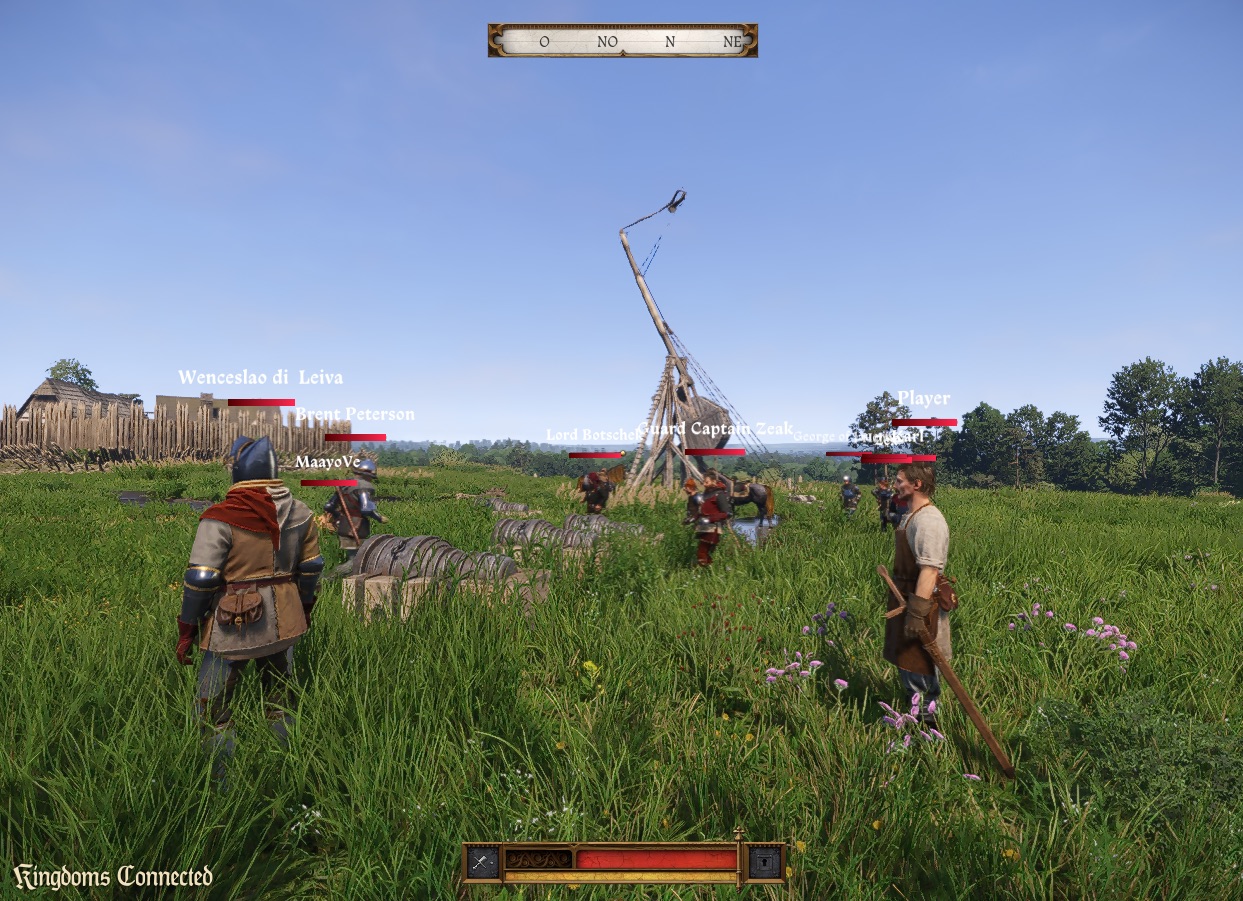
- Siege engines can be worked by hand. Stand next to one and press use to take it, hold block to aim, torch loads, attack fires and use steps away. Siege ladders can be climbed, pushed off or raised, and stones thrown from a pile with the use key.
- In the default game mode: /animals list and /animals start <guid> enable sheep, cattle, pigs, wolves and more, and wolves chase nearby players. Look at a player or NPC and press the Follow key (Left Alt) to walk or ride after them, and again to stop. /patrol list and /patrol start <route-id> send nearby NPCs along routes saved from World Builder. /siege trebuchet, /siege cannon, /siege ladder and /siege stones build siege gear you can work, and /siege guide on adds an aim beam.
- World Builder gets a Patrols tab for named routes with a live NPC preview and Copy API call, and routes save with projects and exports. Areas get point, edge and size handles, grouping and copies of native areas. Projects remember the camera, deleted level objects can be restored from a list, and the menu offers Load last project. Collision rebuilds after scaling, compound props get collision, and Escape or right-click cancels placement.
- Fixed: repair kits no longer reject the second item when several are selected. Custom NPC names and quest map tooltips no longer show raw keys. World sounds and proximity voice no longer go silent with the inventory or map open. Tracked server quests appear on the compass and map. The locked door in Ptacek’s room at Malesov opens, and so does the Ruthard palace courtyard gate. Spent arrows and bolts no longer vanish, and dropped weapons no longer reappear in another player’s hands.
- For server creators: spawn 167 animal souls, move them with NPC navigation, and order wolves or wild dogs to attack. Unridden horses accept moveTo, patrol and hold. NPCs fight on server orders with melee and bows, and leashed hunters chase players around a home point. Server-planned NPC moves open unlocked doors on the way. Player health and hunger can be set, and twenty derived stats such as visibility can be read. Siege engines, ladders and stone piles have a scripting API with health, ammunition, crew and events. Each resource runs its own copy of the KCDC classes, so a second resource no longer crashes the server.
- Players and server owners must update to 1.6.2.
Kingdoms Connected 1.6.1Player fights decided by the server, working blocks and ripostes, and a World Builder you can use offline.
- Fights between players are decided by the server. It works out each blow’s damage with the game’s own rules, from the attacker’s weapon, skill and buffs and the victim’s armour and guard. Swings from modified clients, repeated swings and impossible damage are refused.
- Blocks and perfect blocks against another player now work, and master strikes and ripostes play correctly for both fighters and anyone watching. Other players’ bodies no longer deal collision damage.
- In the default game mode, a fight between two players ends after 15 seconds without an attack. To make peace sooner, both players hold U for one second. U can be rebound under Multiplayer controls.
- World Builder in the main menu lets you build offline in Kuttenberg, Trosky or the Monastery (DLC required). Work is saved as projects, with reusable blueprints and exports that servers can load as world resources. On a server it stays off until the server grants access, then F7 opens it. In the default game mode, /builder turns it on for yourself.
- Closing your helmet visor muffles your proximity voice, and other players see your visor open or closed.
- The Ratborsch, Nebakov and Ruthard palace gates start open, and /gate opens and closes them in the default game mode.
- The siege cannon shot carries up to 300 m and its impact up to 150 m, instead of full volume anywhere within 400 m.
- Players standing still turn with the game’s turning animations instead of spinning in place with sliding feet.
- Item gained and lost notifications are back for gathered herbs, picked-up items, crafting results and items given by the server. Eating, firing arrows, repairs, drops, trades and stashes no longer show “item lost”.
- The launcher accepts the GOG version of the game.
- Fixed crashes when teleporting on horseback. Riders who come into view now appear seated in the saddle.
- /crafttest in the default game mode teaches alchemy recipes as well as smithing ones.
- For scripters: playerHit lets scripts see and adjust each blow’s damage, and cancelCombat ends a fight between two players. Inventory changes can skip their notification with notify: false. setWorldBuilderEnabled grants World Builder access per player; mod.map_editor is no longer used and LevelEdit.applyMap is removed. Hud.worldToScreen can be called from client scripts.
- Players and server owners must update to 1.6.1. The combat and player sync changes do not work with older clients or servers.
Kingdoms Connected 1.6.0Trebuchets and cannons, carrying things in your arms, and servers that ship their own assets.
- Siege engines: scripts can build the game’s own trebuchet and cannon, load them and fire them at a point. Everyone sees the crew wind, load and fire, and the shot hurts the players and NPCs it lands on. /siege builds one in front of you, and a player within 12 metres loads and fires it with the use key.
- Players can carry an item in their arms the way the game does, with its carrying walk, no running, and its own pick-up and put-down. Everyone sees the load. A put-down item lies on the ground and can be picked up again from its prompt. /carry <item> tries it out.
- Servers can ship their own assets. A resource’s replace/ and stream/ folders download with it before the level loads: animations, sounds, particles, textures, meshes and materials. A large download waits for the player to agree, at a limit set on the game’s Game settings page (500 MB by default).
- Dice tables have lobbies. Use a table to take a seat, and once a second player sits down, the two of you agree on the score to play to before the match starts. An unanswered /dice invitation no longer holds the seats.
- The launcher works with GOG and other non-Steam copies. When Steam cannot find the game, it asks for KingdomCome.exe and remembers the choice.
- The server browser shows each server’s logo, and the Tab player list shows each player’s ID in its first column.
- The mod’s voice chat rows show on the game’s settings pages with readable names.
- F7 no longer opens the world builder. A client script opens it, and only on servers that set mod.map_editor to true.
- Repairs with repair kits are kept by the server, including a repair that uses up several kits.
- Fixed a crash for everyone near a dog when it marked a spot.
- Fixed a crash when another player mounts a horse before their character has finished loading.
- The dice camera is set up correctly when your opponent throws first.
- For scripters: virtual stashes give a player the game’s transfer screen with no chest in the world. Client scripts can turn off the game’s inventory, map, journal and other menus, draw debug shapes in the world, turn a world point into a screen position, and play a sound file on an entity. A raycast says whether it hit terrain, an entity, a tree, a bush or a rock, and which model and material it met. Game modes can refund the materials of an interrupted craft.
- Players and server owners must update to 1.6.0.
Kingdoms Connected 1.5.7A character creator, wagons that seat six, every animation for women and the sound of every blow.
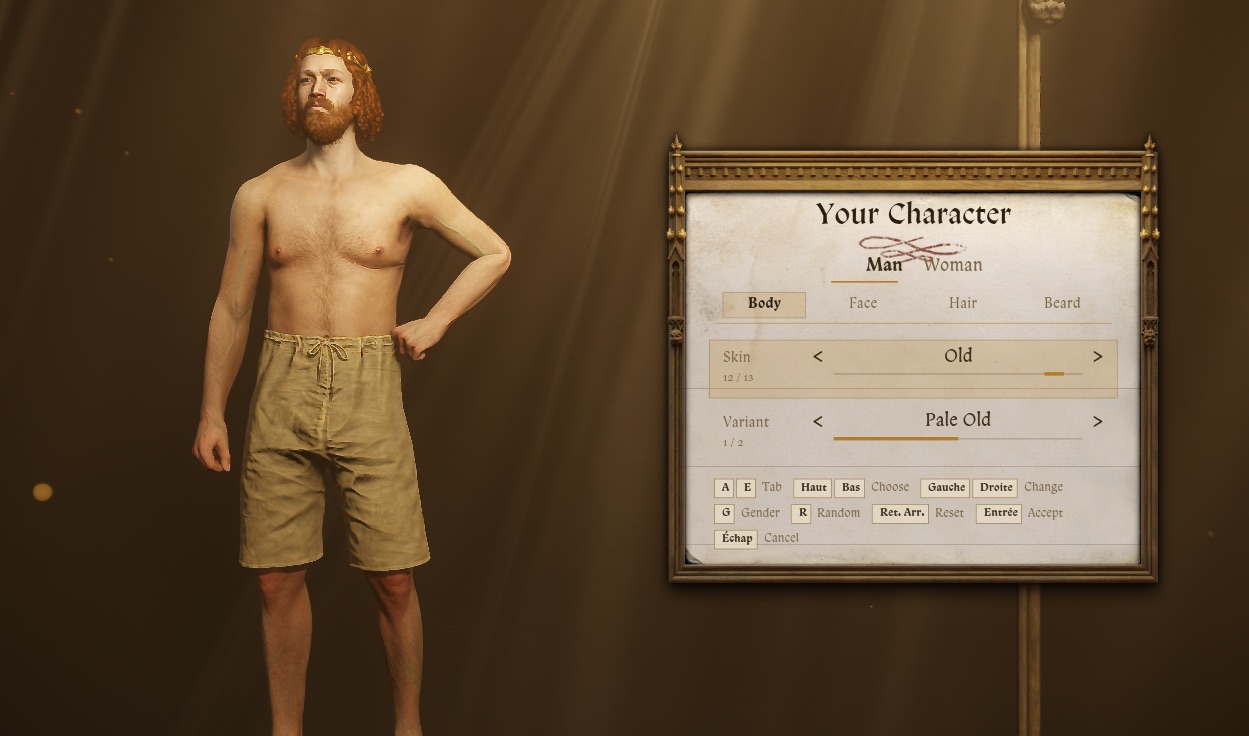
- Character creator: client scripts can open the pause screen’s character stage with a panel for body, face, hair and beard, hair colours, and a switch between man and woman. /creator tries it out.
- Carts drive like wagons, forwards and backwards. A wagon seats six and a two-wheeler three, and everyone climbs in, sits and climbs down with the game’s own animations while the driver holds the reins.
- Women can play the game’s whole set of animations, riding, weapon draws, combat, deaths and work included. The game’s own women get them too.
- Everyone near a fight hears the clash of a blow and sees its sparks and blood, not only the player who was struck.
- Other players no longer freeze in a T-pose at random. A standing player turns in place the way the game does instead of snapping to their camera, and a player who stops no longer shuffles forward in small steps. A torch in another player’s hand shows unlit.
- Client scripts can put up the game’s own “Press [key] to …” hints, for a press or a hold, showing whatever key the player has bound.
- Servers can load the game’s navigation mesh by pointing mod.navmesh at a game install. Scripts can then find paths, floor heights and random points, and NPCs that no player is near walk real routes through unlocked doors instead of straight lines.
- A server that lets you in but never answers is refused after 10 seconds behind the loading screen, instead of leaving you in the world with locked controls.
- Dropping a quantity drops all of it, and several torches land as separate torches.
- Picking up an item while standing works again.
- Reconnecting no longer makes you give up your next dice match at once.
- An alchemy table no longer stays stuck after a failed start.
- Switching saved outfits no longer crashes, and an outfit is put back in full.
- One item the game cannot make no longer hides every item given after it. The player is told in chat which items cannot be shown.
- Turning on noclip right after joining no longer freezes the picture or crashes the game.
- Chat scrolls its history with Page Up and Page Down, and key names follow your keyboard layout.
- Each player’s movement takes half as much data to send.
- Players and server owners must update to 1.5.7.
Kingdoms Connected 1.5.6Dice between players, clean voice chat, smoother movement and screen effects for scripts.
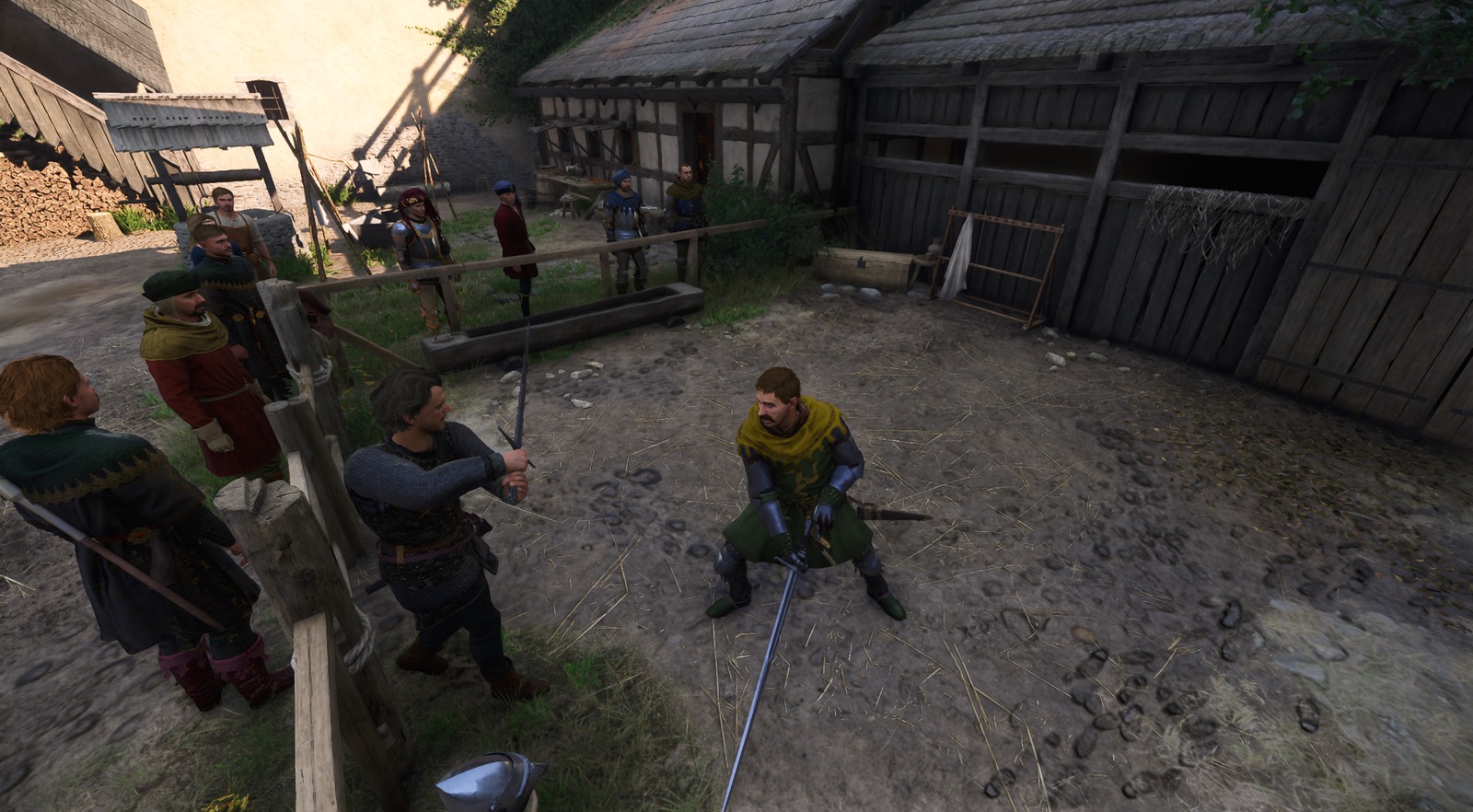
- Dice: two players at a dice table play the game’s own dice against each other. /dice <player> challenges and /dice accept takes a seat. The server throws every die and checks every move, and scripts decide what a match is played for.
- Voice chat no longer repeats a scrap of speech or plays bursts of noise at the end of words.
- Other players move through the game’s own movement, and their swings, reactions, ledge grabs, door pushes and jumps play when their body reaches that moment instead of ahead of it.
- The game’s loading screen stays up until a join has finished, and the chat, name tags and voice indicator wait for it. A refused join says why, and joining again after a failed join or a disconnect no longer crashes.
- Dropping a row of several items from the inventory drops all of it, and drops are no longer refused in the middle of a fight.
- Herb picking takes from the plant you started on, and a picked herb no longer blocks a different herb beside it. Server scripts set how long herbs take to grow back, or grow them back at once.
- Client scripts can tint, blur and smear the screen and add blood at its edges. /screenfx shows two examples: drunkenness and injury.
- Servers can turn off the Tab player list with "scoreboard": false. /give takes a quality tier, and Inventory.add takes an item’s exact name.
- Each player is sent the nearest 64 players, with closer players updated more often. Health and stamina changes while sprinting or fighting send far less data.
- Characters with a head other than Henry’s no longer see their own head and beard in first person.
- Fixed a crash when picking a herb after disconnecting and reconnecting without restarting the game.
- A HUD element hidden by a client script stays hidden through menus, dialogue and level loads, and the player’s own settings are no longer touched. /hud tries it out.
- The F5 and F6 debug panel is gone.
- Players and server owners must update to 1.5.6.
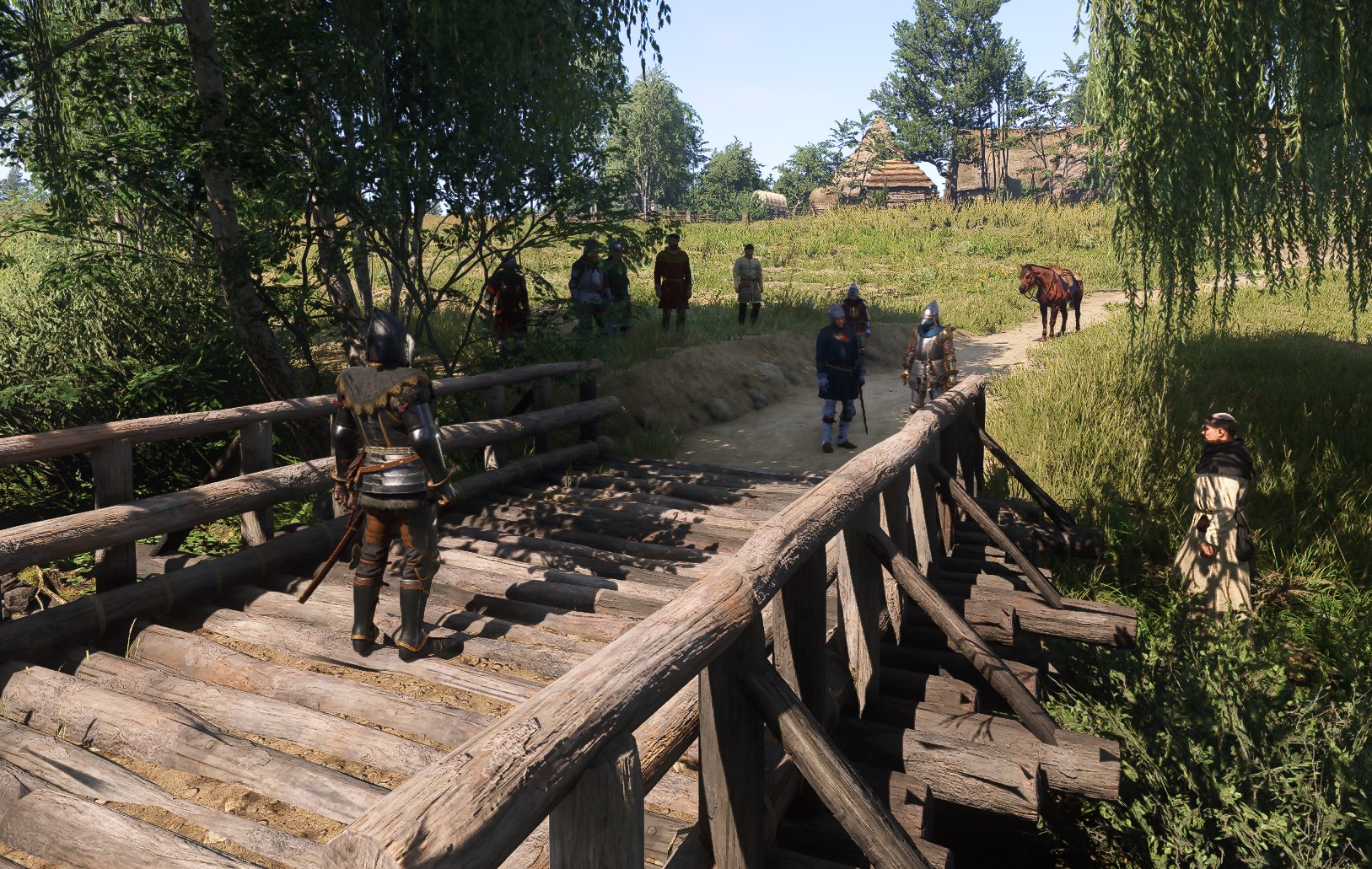
Kingdoms Connected 1.5.5Books you can read together, working smithery tools, and name tags that hide while you crouch.
- Other players see you reading, book in hand. A tap of Escape now closes a book instead of opening the pause menu.
- Client scripts can open books of their own through the game’s reading screen, with custom pages, pictures and textures. /book opens a short chronicle of Kingdoms Connected.
- Smithing works again: the smithery hands you its tongs and hammer, so the workpiece is held and the forge and anvil have something to strike with.
- A crouched player’s name tag fades out, so sneaking no longer gives you away.
- The map, inventory and other menu pages no longer stay black behind a loading spinner in third person.
- Women’s hands no longer bend into long, tangled fingers when they play animations.
- Rebinding keys in Controls works again. The emote wheel and Talk to NPC keys used to block every change from being saved.
- Voice chat only reaches players in the same virtual world, and playback recovers more smoothly after a hitch.
- Server scripts can rename items, ask the game’s own price of an item, and give NPCs the same name tag options as players. Client scripts can hide single HUD elements.
- Quest items can no longer be granted by the server, since the game cannot create them. One such item used to block harvesting, smithing and brewing for its owner.
- Fixed a slow leak in the game’s character table as players streamed in and out.
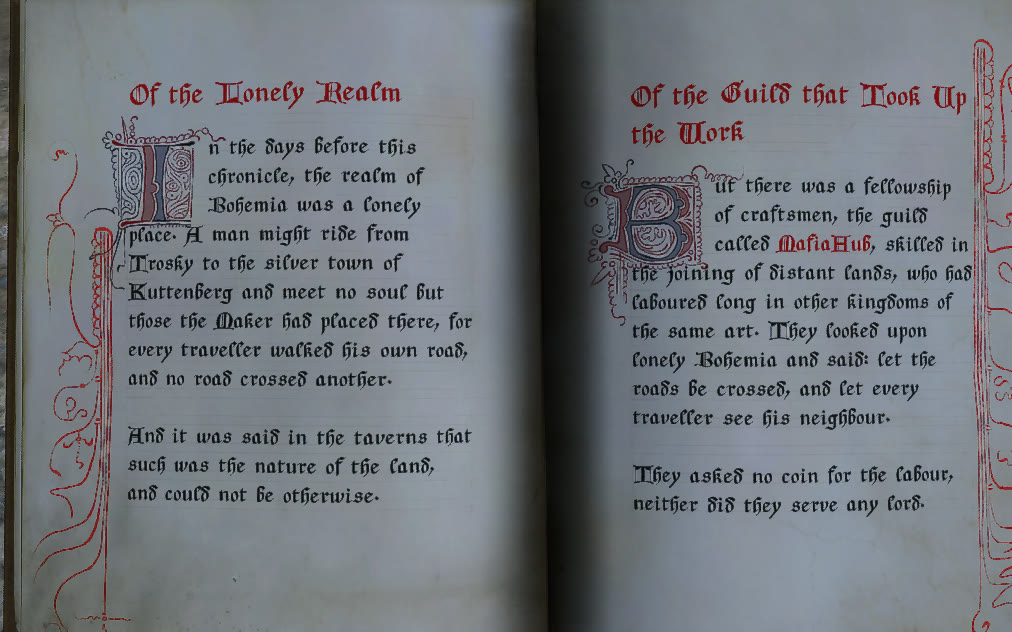
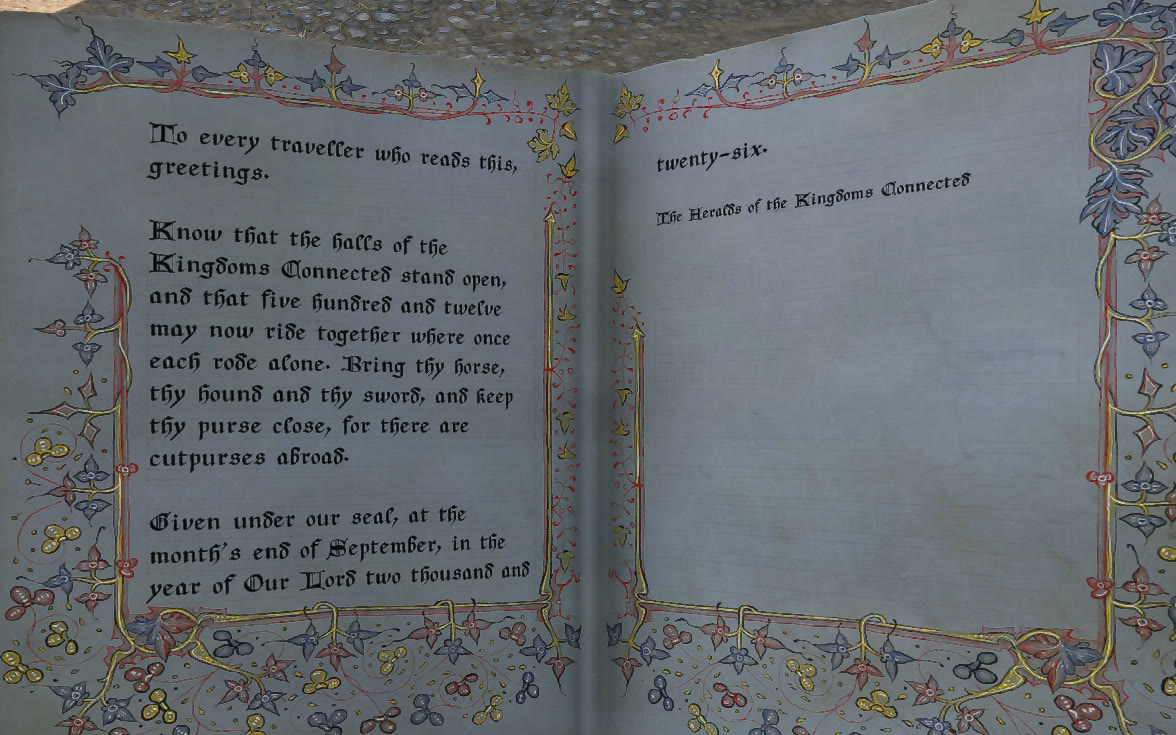
Kingdoms Connected 1.5.4A third-person camera, a player list on Tab, disguises and level edits every player sees.
- Third-person camera: /camera switches between first and third person, and client scripts can drive the third-person camera themselves.
- Hold Tab for the player list, showing who is on the server. Name tags hide while it is open, and are now drawn without a backdrop plate.
- Disguises: a player can be drawn as a prop from the game’s catalog. /disguise and /pick try it out, and commands can target a player with @name.
- Areas: the server knows the game’s own gameplay areas and decides who is inside each one, and server scripts can react to it. /area lists the areas and the doors they link.
- Servers can move or hide objects that belong to the level itself, collision included, and every player sees the change.
- Client scripts are told which player a trace hit.
- Female characters now move with their own animations.
- A rider on a moving horse is seated at once for everyone else, and riders are never put on or taken off a horse that has been put away.
- Voice chat keys keep working when their bindings load late, and the chat and noclip keys work on any keyboard layout.
- The dedicated server shuts down cleanly, and conversations whose other side has disappeared are abandoned instead of hanging.
Kingdoms Connected 1.5.3Carts, doors that stay in step for everyone, and vendors trading again.
- Carts: servers can spawn the game’s own carts with their horses hitched. A player drives from the bench with the reins, another rides on the rail, and everyone sees the cart move and the players climb in and down.
- Carts answer the keys you ride a horse with, arrow keys and rebinds included, on any keyboard layout.
- /cart spawns, lists, boards and clears carts, and /tp also takes a map position.
- Doors stay the same for every player: a door opened with fists or a weapon up no longer stays open for one player only, and doors moved by NPCs, schedules or quests are put back in step.
- Vendors trade again on the server’s inventory: every deal happens in full or not at all, and selling part of a stack works.
Kingdoms Connected 1.5.2Server-held inventories, alchemy, experience and perks, quest markers, owned horses and a whitelist.
- The server holds every player’s inventory, every chest and every item on the ground, so nothing can be duplicated. Eating, drinking, potions, shooting and wear on weapons and armour are all settled by the server.
- Fired arrows land as items anyone can pick up, once each.
- Pickpocketing takes from the victim’s inventory on the server; nothing they are wearing can be stolen.
- On death, a player’s pockets drop into a container beside the body that anyone can loot; worn gear stays with them. Scripts decide what is dropped and what is kept between sessions.
- Alchemy at the game’s own tables, with every brew ruled by the server and the recipe book showing what the server says a player knows.
- Experience, levels and perks are ruled by the server, which scripts can use to grant, cap or refuse them.
- Servers can track quests for a player and mark objectives on the map and compass.
- Horses belong to players, and scripts can keep a player’s horse and dog in the world after they leave. Other players’ horses now walk, run and jump in step with their rider.
- Servers can keep a whitelist; a player waiting on the server’s decision sees an “At the gates” card with a Leave button.
- Voice chat works on horseback, in carts, while sitting and in minigames. Push-to-talk now defaults to H.
- Other players’ mouths move with their voice.
- Fixed a crash when stealth-attacking a server NPC, and one when skipping time with horses nearby.
Kingdoms Connected 1.5.1Carrying players, whisper and shout, sitting together, lockable chests and password-protected servers.
- Players can carry each other: a player who is down can be picked up with the game’s own Grab body prompt, and everyone sees the carry. Scripts can allow, refuse or end it.
- Whisper, normal and shout: the Voice range key (default Y) steps through three voice ranges, shown as one, two or three waves on the speaker icon.
- Everyone sees players sit down, stand up, pick things up, pick herbs, dig, pat horses, butcher and praise their dog.
- Servers can ask for a password; the server browser marks them with a padlock and asks for it before joining.
- Every chest and container in the world is known to the server, which can lock it, give it a key or refuse to let a player open it. Only one player can have a chest open at a time.
- Scripts can set facial expressions and make a mouth talk, for players and NPCs (/face).
- Scripted animations stop at once, stand the body up out of a seat, and tell scripts when they end. /anim list shows which animations belong together and which need a second actor.
- The world keeps running and stays audible while a player has the inventory, map or journal open.
- Fixed all world sound going silent after a player was revived.
- Female characters use the female skeleton, so their hands and joints no longer bend out of place.
- Typed letters reach chat intact on every keyboard layout, and a resource can hide the built-in chat for the whole session.
- Scripts are told when a player’s loading screen is gone (playerReady), and the script declarations are published on npm as @kingdomsconnected/types.
- Dropdowns in resource web panels now open.
- The Kingdoms Connected logo sits in the corner of the screen during a session and hides under the game’s menus.
Kingdoms Connected 1.5.0Pickpocketing between players, horse tack, scripted animations and clearer voice.
- Pickpocket other players on the game’s own minigame. The server settles every theft, so nothing can be duplicated and nobody can steal what a player is wearing; a thief who is caught is named to both players.
- Horses wear tack: spawned horses come saddled like the game’s own, everyone sees the same gear, and /horse gear and /horse ride dress and mount the horse you are at.
- Scripts can make players and NPCs play any of the game’s animations, with props in hand; browse and play them with /anim.
- NPCs keep all the armour a script dresses them in, mail and plate included.
- Clearer voice chat: late voice packets are put back in order and lost ones are recovered.
- Discord presence, which server scripts can set.
- Fixed the screen freezing when leaving the free camera.
- The debug panel scales with the screen, so it stays readable in 4K.
Kingdoms Connected 1.4.1Czech letters in chat and steadier server scripts.
- Chat draws in the game’s own font, so Czech letters such as č, ř, š and ž show instead of question marks.
- Server resources start in the order of their declared priority.
- A script touching an object that no longer exists now raises an error instead of crashing the server.
Kingdoms Connected 1.4.0PvP combat, server NPCs and vendors, mortal horses and up to 512 players.
- Player-vs-player combat: players lock on to each other with the game’s own targeting, and each blow, block and perfect block is resolved once, on the defender’s machine, so every player sees the same fight.
- Servers can raise the player limit to 512.
- Server-owned NPCs that walk, patrol and follow orders, with name tags, and the game’s own Talk prompt routed to the server.
- Vendors: trade on the game’s own shop screen with prices and stock set by the server, which checks every deal (/vendor).
- Horses have health: they can be hurt, killed and revived, a rider is thrown off the way the game does it, and /horse lists breeds.
- Map blips placed by the server, shown on the compass and the map screen (/blip).
- Voice chat settings on the game’s own Sound page: volume, push-to-talk (default V) or voice activation, microphone and noise suppression. A speaker icon shows who is talking, and /mute, /unmute and /mutes silence players.
- Every door and gate in the world is known to the server, which rejects impossible opens and lockpicks. Gates now collide as drawn, so horses can pass an open gate.
- Scripts are told about damage, injuries and healing, and can heal a player.
- Join a server straight from a kcdc:// link.
- Multiplayer sessions no longer unlock Steam achievements.
- The chat box is the framework’s own and hides under the game’s menus; name tags use the game’s HUD font.
- Map editor rebuilt: an asset library with search and previews, a placement brush, multi-selection, undo and redo, particle effects, and maps saved to files. Spawned props now cast shadows.
- Free camera follows the game’s photo-mode key bindings, so it works on AZERTY and after a rebind.
- Client scripts can rearrange the emote wheel.
Kingdoms Connected 1.3.4Shared wind and server-controlled weather.
- Wind is now synchronised, so every player sees the same trees sway.
- The weather is decided by the server alone: the engine no longer picks its own weather on each client.
Kingdoms Connected 1.3.2Emotes, appearance, shared quests, build mode and DLC-aware servers.
- Emote wheel.
- Player appearance: the server can change a face, hair or body, and everyone sees what a player wears. New /appearance and /lookalike commands.
- Shared quests written by the server into the game’s own journal, with a new /quest command.
- Build mode: place props in the world with a preview, via /build.
- Servers can require DLCs; a player missing one is told which before anything downloads.
- Scriptable free camera (noclip).
- Servers can take items out of a player’s inventory (/take) and set walking pace rules.
- Servers choose exactly where a joining player stands.
- Resource web panels can take keyboard focus and show the cursor.
- The mod’s keys are declared to the game’s controls menu.
Kingdoms Connected 1.3.1Markers, trigger zones and particle effects.
- Markers placed by the server, with tints and trigger zones that report players entering and leaving (/marker).
- Particle effects such as fire and smoke, placed or burst from the server using the game’s own effects (/vfx).
Kingdoms Connected 1.3.0Dogs, the default game mode, native UI and smoother remote players.
- Dog companions are synchronised, petting included, with a /dog command.
- The default game mode ships as its own resource with every chat command, plus an F4 debug panel.
- Other players now appear as native player characters, and leave cleanly when they disconnect.
- Scripts can play the game’s own sounds, open the game’s native UI screens, and control doors, gates and containers.
- The game no longer pauses when its window loses focus.
- The server container image now includes the default game mode.
Kingdoms Connected 1.2.2In-game server browser.
- The server browser reads public servers from the MafiaHub masterlist.
- A connection screen shows while joining instead of a blank screen.
Kingdoms Connected 1.2.1Masterlist moved to MafiaHub Services.
- Servers announce themselves to the new MafiaHub Services masterlist.
Kingdoms Connected 1.2.0Scripting API update.
- The client and server scripting API moved to a newer framework version.
Kingdoms Connected 1.1.0First public release.
- Official Docker image for the dedicated server.
- Sessions hold up to ten players.
- Server settings live in server.json.
- Ladder climbing and vaulting are synchronised between players.
- Props and items on the ground are shared, and items can be picked up.
- Buffs, death and revival are decided by the server.
- Scripting APIs for the world map, compass and map blips.
- Fast travel is disabled, single-player save entries are removed from the menu, and the pause menu gains a disconnect button.
- Network updates are rated by distance, so nearby players stay smooth.
- Crash reporting on the client and server helps the team fix problems faster.
Kingdoms Connected 1.1.0-rc.2HUD notifications and world clock scripting.
- Scripts can show HUD notifications.
- The clock and weather are controlled from the scripting API.
Kingdoms Connected 1.0.0-rc.1First tagged release.
- The first tagged build of Kingdoms Connected.


